Every digital signage feature in one plan, because a screen needs all of it.
There is no tier where zones are missing or reports cost extra. The list below is what every account gets, on day one of the trial and every day after.
A fleet you can see
Every paired display reports in on a heartbeat: what it is playing right now, when it last checked in, which player version it runs and what platform it runs on. A screen that goes quiet is visible in the dashboard before a customer mentions it.
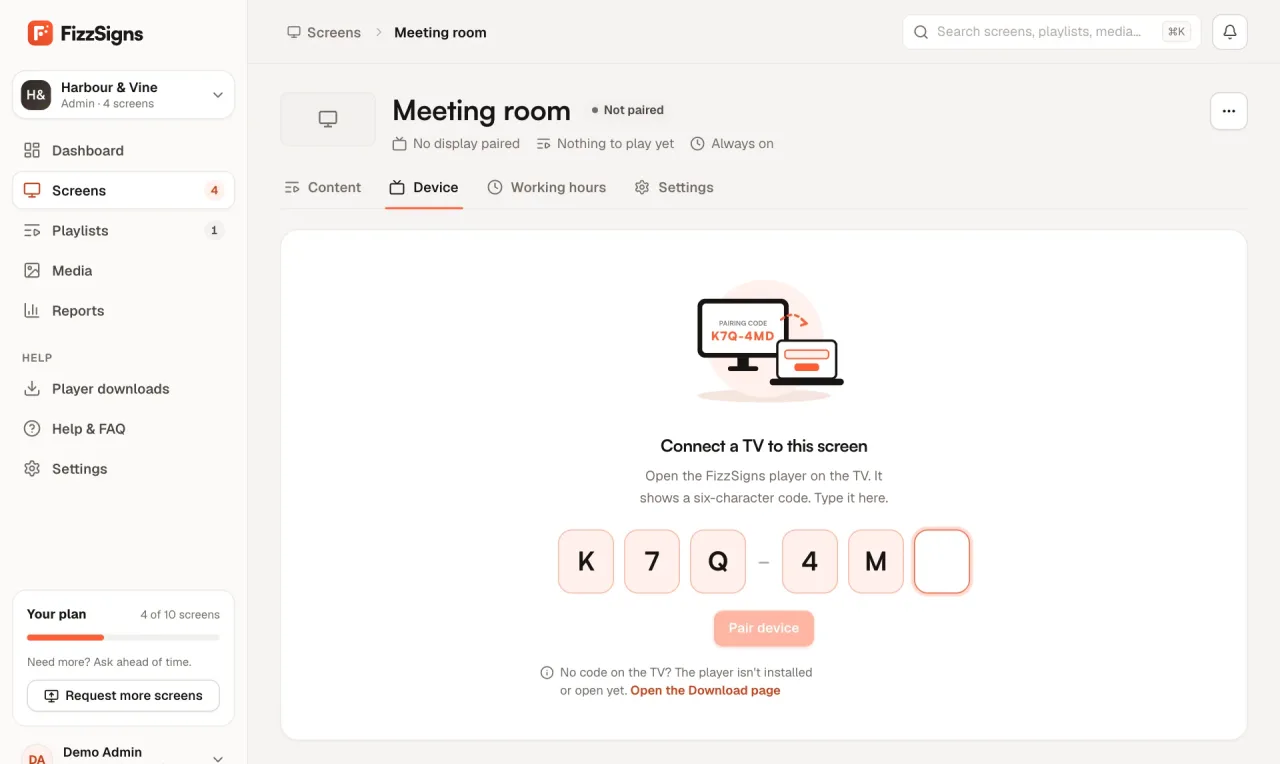
- Six-character pairing — no account details typed on a TV remote
- Name a screen and change what it plays without touching the device
- Live status, last-seen timestamp and player version per screen
- Working hours per screen, so a display goes dark when you close
Content in the order you meant
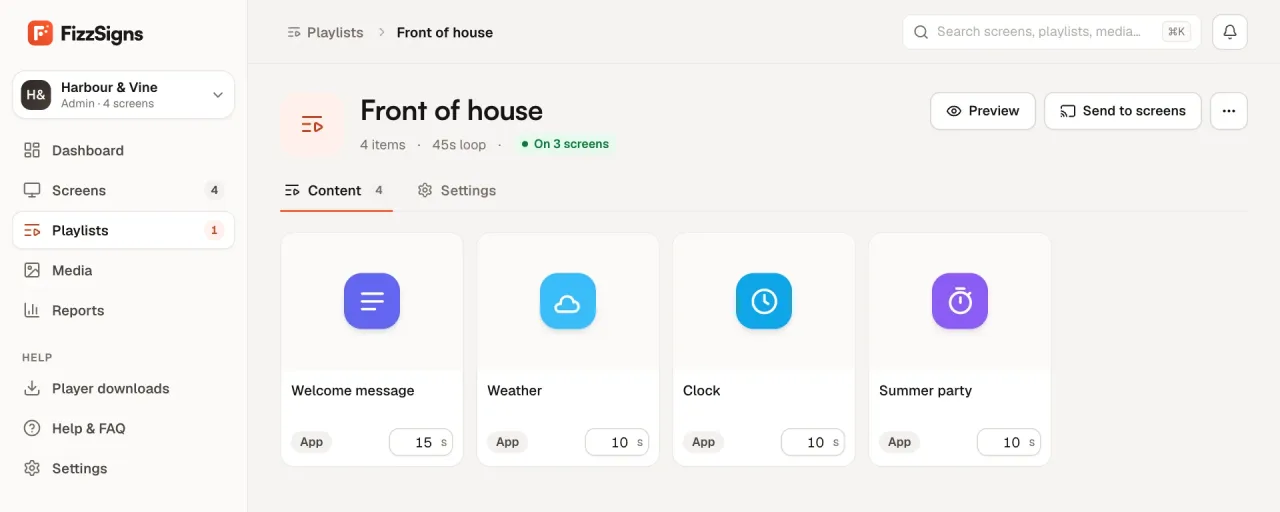
A playlist is an ordered list of items, each with its own duration. Drag to reorder, set seconds per item, and the player loops it. Add the same playlist to one screen or to all of them at once, and an edit reaches every screen that plays it.
- Per-item duration, drag to reorder
- Images, video, and any app instance in the same list
- One playlist on many screens, edited once
- Switch an item off and back on without deleting it
On when you open, dark when you close
Give each screen its working hours: always on, a start and end time for every day of the week, or a date range for an event. Outside them the screen goes dark and stays paired, then plays again at the next start time. The player holds the hours locally, so it goes dark and comes back on time even if the network does not.
- Always on, set hours for each weekday, or a date range
- Any day can stay in standby all day
- Dark outside working hours, back at the next start time
- Evaluated on the device, not in the cloud
The content you do not want to design
Nobody wants to re-export a JPEG every time the weather changes. Apps render live on the screen from a form you fill in once. The dashboard preview mounts the same bundle the player does, so what you approve is what plays.
- Clocks, weather, menus, tickers, QR codes and countdowns
- Exchange rates, crypto, electricity prices and air quality
- News from CNN, BBC, Al Jazeera, The Guardian and more
- Google Calendar, Sheets and Slides, Canva, PDF
Your own slides, designed in the browser
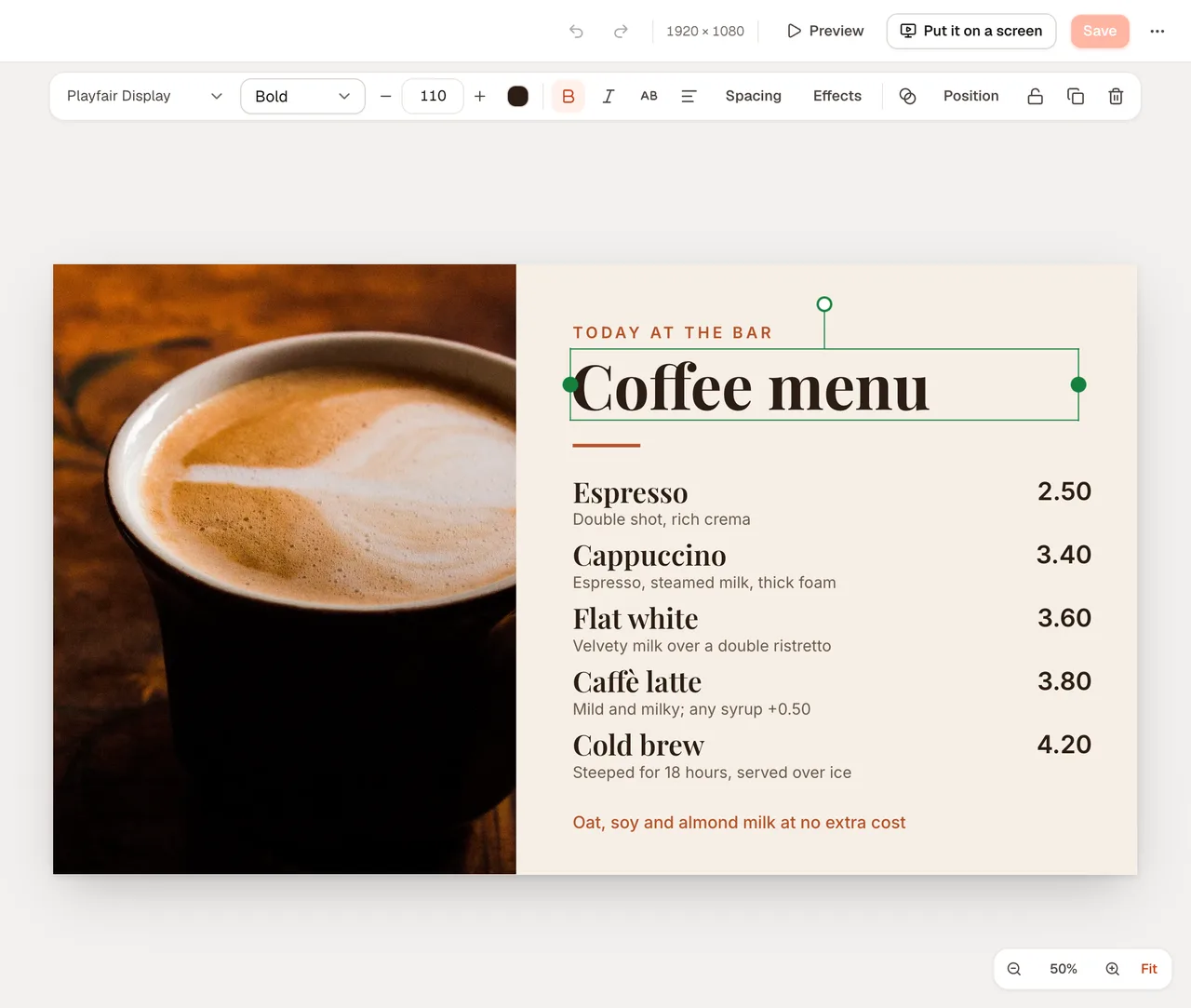
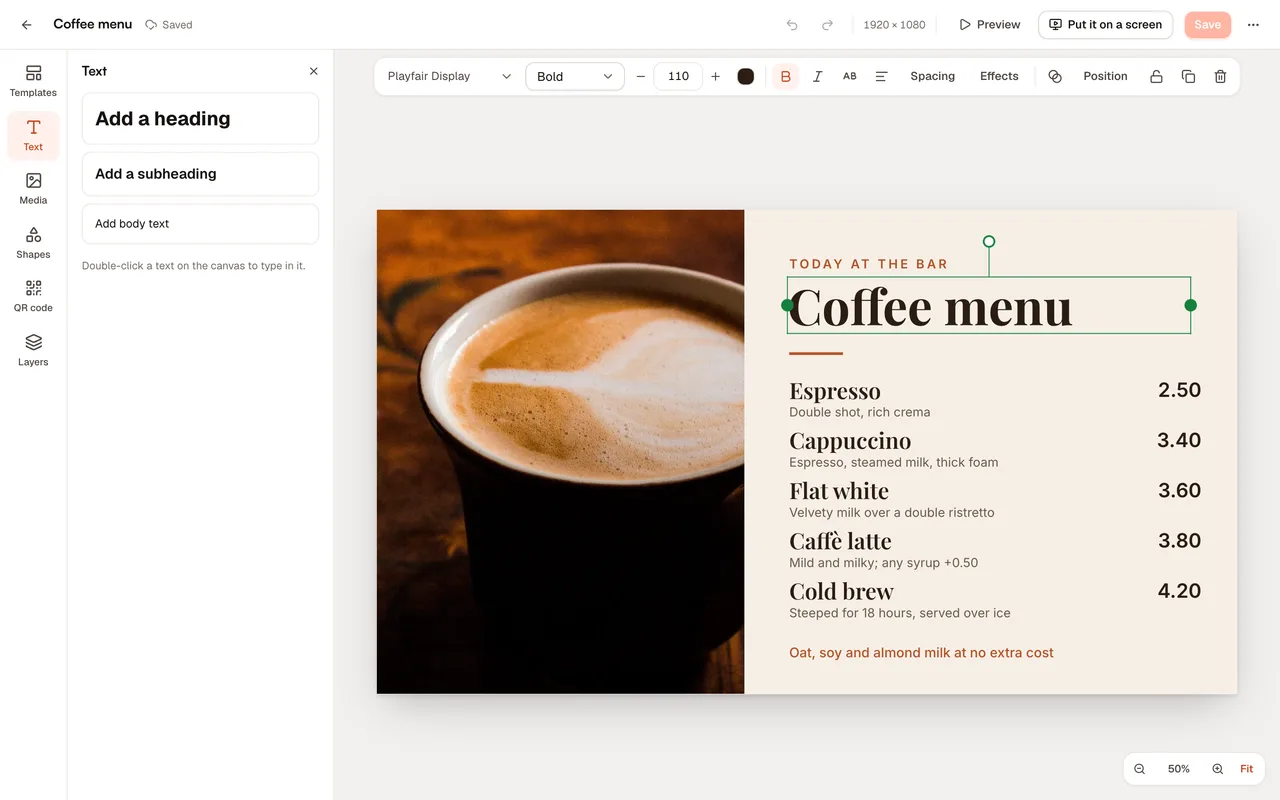
When no app fits, design the slide yourself. The template editor in the dashboard places text, pictures, a video, shapes, icons and QR codes on a landscape or portrait canvas, or starts you from a design in the gallery. Change it once and every screen that plays it follows. The screen draws it with the same code as the editor, and keeps its fonts and pictures for when the network drops.
- Nearly 2,000 Google Fonts, served from our own CDN
- QR codes for links, Wi-Fi, contacts and events
- Layers, alignment, undo and a full-screen preview
- Ready-made designs in the gallery to start from
More than one thing at a time
The Zones app splits a display into two, three or four panels and gives each one its own app and its own timing. A menu beside the weather, in one playlist item — with the Ticker app running a band along the bottom over both.
- Split a display into two, three or four panels
- Each panel runs its own app on its own rotation
- Side-by-side, stacked and grid layouts
- Configured in the dashboard, rendered on the device
Proof of play, not a guess
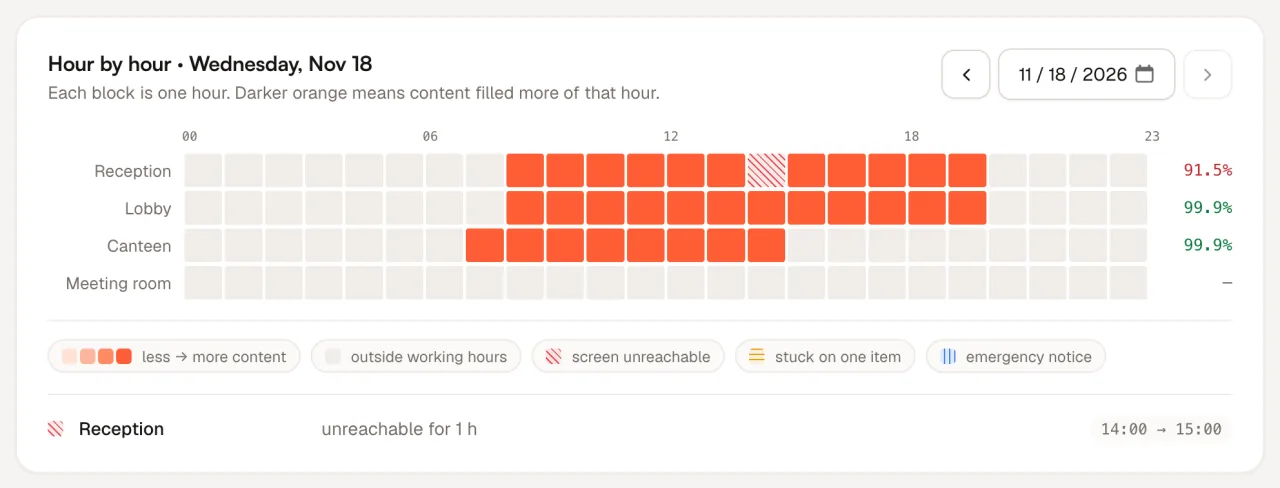
Players log what they showed and when, including the stretch they spent offline. The coverage matrix uses one colour from light to dark for how much of each hour had content on screen, so a gap is a pale square rather than a number you have to hunt for.
- Per-screen and fleet-wide playback history
- Coverage matrix by hour and day
- PDF export for a client or a landlord
- Scheduled reports emailed on a recurring date
Files that stay where you put them
Images and video upload to object storage and stream to the player from an edge close to the screen. The player caches what it needs locally, so a large video does not re-download every loop.
- Image and video upload with per-file size limits
- Served from object storage, not from an office machine
- Cached on the device for offline playback
- Reused across playlists without a second upload
People, roles and organisations
Invite colleagues with their own login. An organisation owns its screens, playlists and media; each person's role (Admin, Member or Viewer) decides who can change what. Giving a colleague access does not mean handing over a password.
- Email invitations with a role attached
- Organisation-scoped screens, playlists and media
- Password reset and account recovery by email
- Four interface languages: English, German, Spanish, Italian
The dashboard, as it looks
Screenshots of the real dashboard, taken with a demo organisation: sample screens and sample playback data, not a customer.
From the blog
- What is digital signage? A plain-English guideDigital signage in plain English: the five parts behind every screen, what people use it for, what it roughly costs and how to start with one screen.
- Digital Signage Content Ideas: 60 Things to Show, and How to Make Them60 digital signage content ideas grouped by goal, from opening hours to QR codes, each with how to make it: an app, an image or a short video.
- Benefits of digital signage, and the honest downsidesWhat a screen does better than a printed poster, from changes in seconds to proof of play, and the costs and chores that come with it before you buy.
One plan. One price. Every feature in it.
No feature held back for a higher tier, no per-user seats, no setup fee. You pay for the screens you actually have.