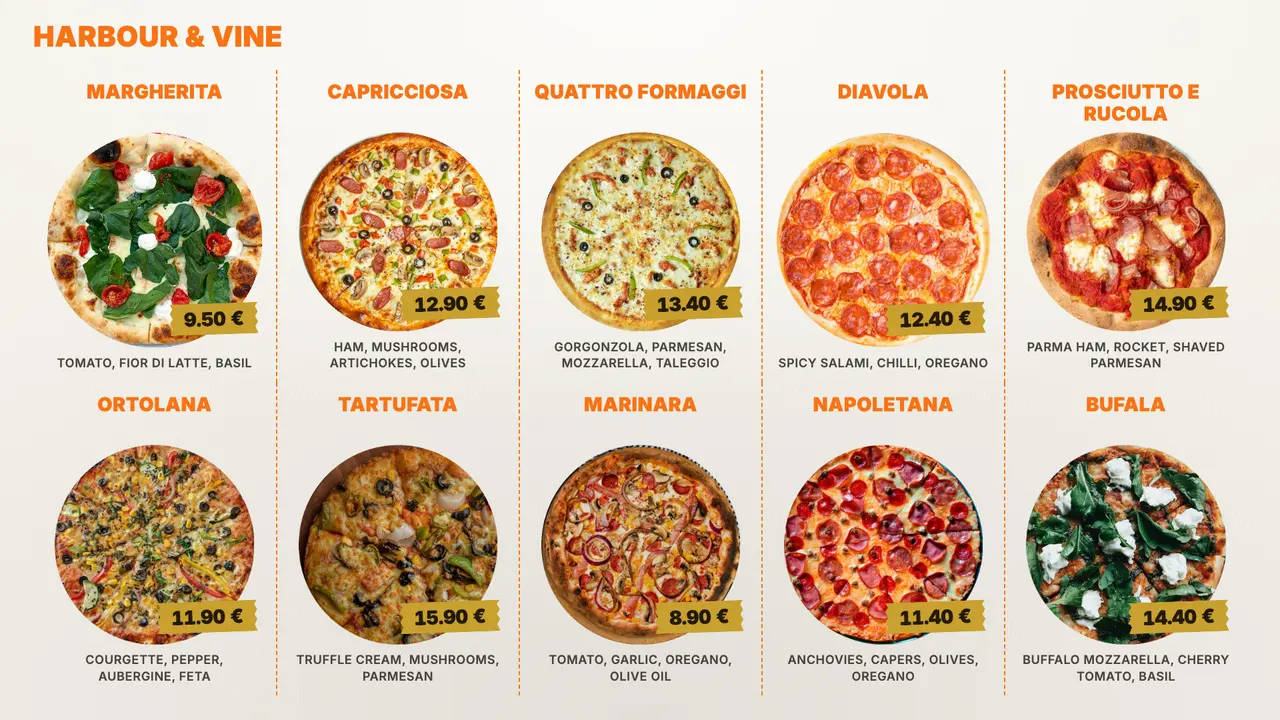
What it does
Present a polished menu or price list, with a design to match the room: a hand-written café board, a dark counter board, a dining room's board in gold, or one built around photographs of the dishes. Add a heading and your logo, pick a currency, then type the items row by row or import them from a CSV. Categories become the sections on the board, and a long menu pages itself rather than shrinking to fit. Built for cafés, canteens, bakeries and shops.
Every app in the catalogue is part of the plan. There is no app store, no per-app charge and nothing held back for a higher tier.
Designs for type, not photographs
Classic and Chalkboard need no dish photos, so they carry the longest lists. The designs built around photographs are on the digital menu board page.
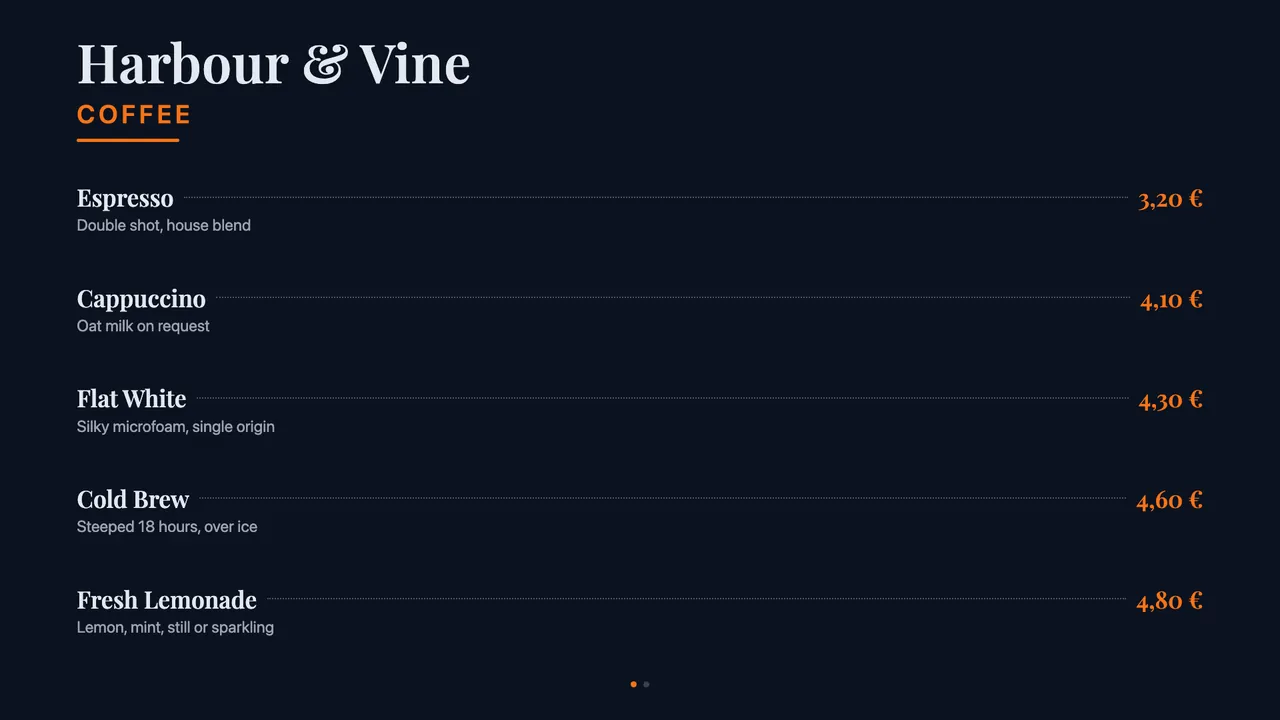
ClassicA refined price list 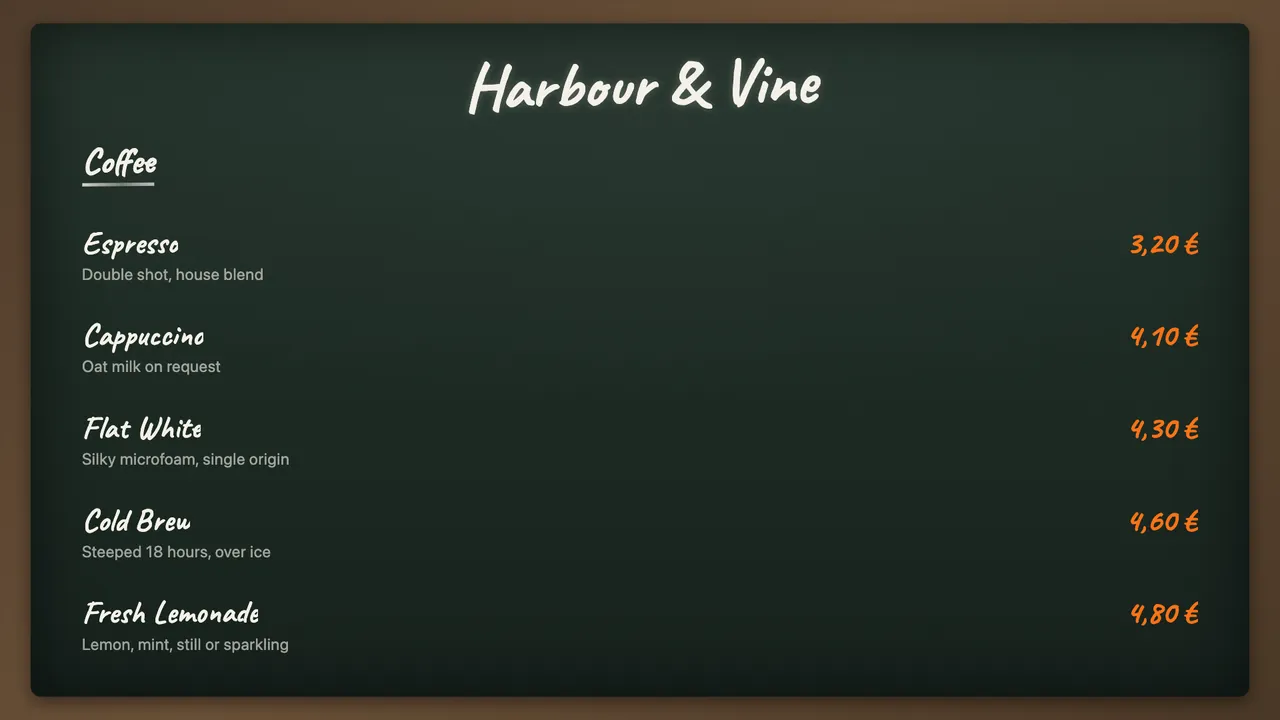
ChalkboardA hand-written café board
Set up the Menu board app
Type your menu or import it from a spreadsheet, choose one of eleven designs and put it on the TV above the counter. Prices change in seconds, and the board keeps playing without the internet.
- 01
Add the app
In the dashboard, add Menu board from Apps. Give it a heading, or leave it blank.
- 02
Add the items
Each item has a name and, optionally, a price, a description, a category and a photo. A menu already in a spreadsheet comes in through CSV import. Items are grouped by category, and every category gets its own pages.
- 03
Pick a design
Eleven designs, from a café chalkboard to a dark bar board. Designs built around photos fit fewer items on a page; turn Show photos off and they fit more.
- 04
Make it yours
Add your logo, set the Accent colour used for headings and prices, and the Currency written after every price. Prices follow the currency's own decimal separator (3,50 € or 3.50 $); Decimal separator changes it.
- 05
Put it on a screen
Add the board to a playlist and publish. Leave Seconds per page blank to split the playlist time evenly between the pages.
Good to know
Plays offline
The menu is stored on the screen and needs nothing from the network to play.
Cut-out photos
Designs such as Carte and Spectrum stand dishes on the board without a frame. Upload PNG cut-outs: empty transparent borders are trimmed automatically, so every dish comes out the same size.
A different menu by time of day
Make one board per menu and add both to the screen. When the menu changes, switch breakfast off and lunch on: a few taps on a phone, on the screen in seconds. The board does not change by the clock on its own.
The eleven designs
Classic, a refined price list; Chalkboard, a hand-written café board; Combo, photo cards for deals; Grill, dark, for a late counter; Fresh, light, a photo over every dish; Carte, a printed chart with cut-out photos; Hero, one dish at a time; Spectrum, a colour band behind every dish; Velvet, dark and gold; Midnight, glowing type for a bar; Duo, two dishes a page.
CSV columns
The first row names the columns. name, price, description, category and photo (an image address) are matched by themselves, and so are common words for them such as item, dish, cost or section; any other heading you match once. Commas, semicolons and tabs all work, and a price written as 3,50 is read as 3.50.
Sizes and allergens
Each item has one price, so add an item for each size. Allergens and calories have no field of their own: write them in the description.
Questions about this app
What if my menu does not fit on one screen?
The board adds pages instead of shrinking the text: one category at a time, over as many pages as it needs.
Does it work on a portrait screen?
Yes. Every design lays itself out for a screen turned on its side.
From the blog
- Digital signage display vs TV: when a consumer TV is enoughWhat a commercial display does that a consumer TV does not: hours, brightness, warranty, power and portrait. And when the TV you have is fine.
- Digital signage screen size: how big should the screen be?Pick a signage screen size from viewing distance: a table by diagonal, examples by room, portrait or landscape, and why brightness beats 4K.
- Fire Stick digital signage: can a Fire TV Stick run your screen?Which Fire TV Sticks can install a signage app at all, what goes wrong on a screen nobody watches, and when an Android TV box is the better buy.
Something for every kind of screen.
Install what you need and ignore the rest. Nothing here is an add-on you pay extra for.