Live stream app for digital signage
Play a live video stream on your screens
What it does
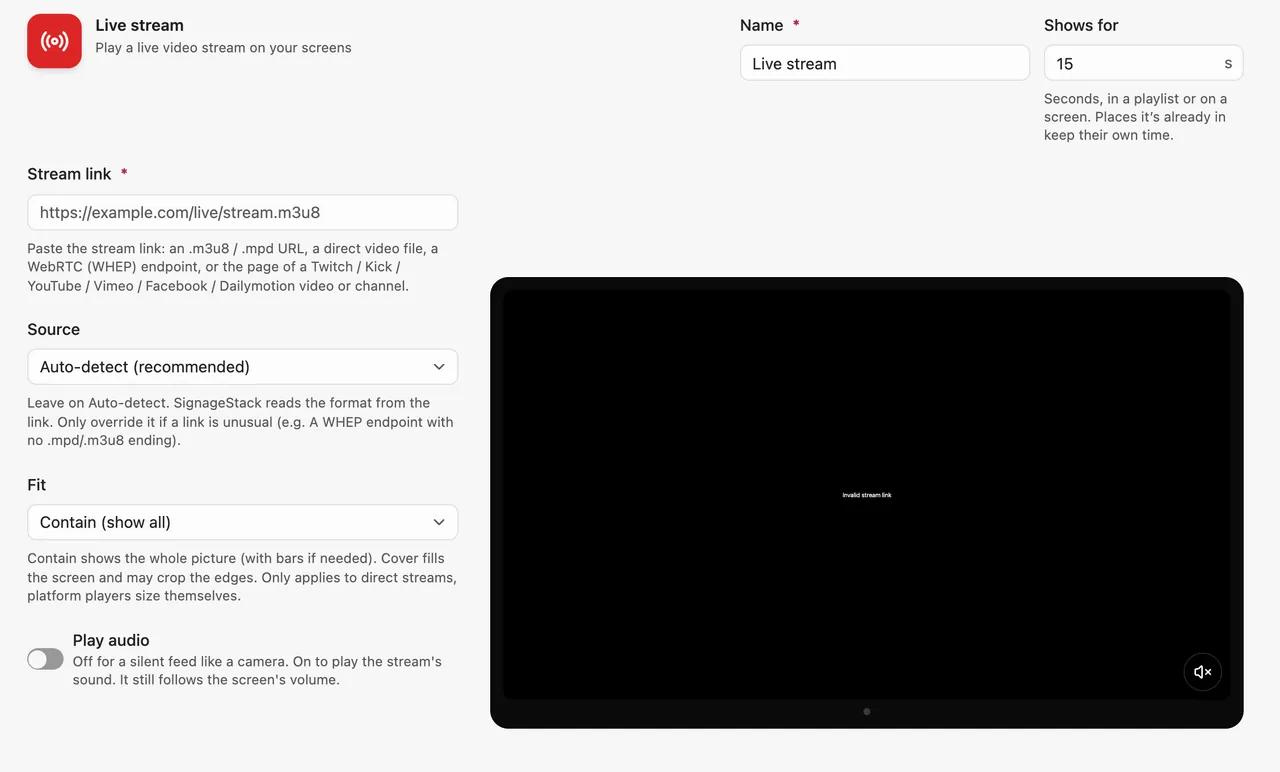
Play live video on your screens: a security camera, a TV channel or an event feed. Paste an .m3u8 or .mpd link, a WebRTC (WHEP) address, a video file, or the page of a live video on Twitch, Kick, YouTube, Vimeo, Facebook or Dailymotion; the format is detected from the link. Choose whether to show the whole picture or fill the screen and crop, and turn the sound on or off. It suits lobbies, control rooms, live events and venues showing a broadcast.
Every app in the catalogue is part of the plan. There is no app store, no per-app charge and nothing held back for a higher tier.
How to play a live stream on a digital signage screen
Paste a stream link and the screen plays it live: a camera, a TV channel, an event feed, or a live video on Twitch, Kick, YouTube, Vimeo, Facebook or Dailymotion.
- 01
Add the app
In the dashboard, open Apps and add Live stream.
- 02
Paste the link
Paste it into Stream link. Leave Source on Auto-detect (recommended) — FizzSigns reads the format from the link. Change it only for an unusual link, such as a WHEP endpoint that does not end in .m3u8 or .mpd.
- 03
Choose fit and sound
Under Fit, Contain (show all) shows the whole picture with bars if needed, and Cover (fill screen) fills the screen and may crop the edges; platform players such as Twitch or YouTube size themselves. Turn on Play audio for the stream's sound, or leave it off for a silent feed like a camera.
- 04
Put it on a screen
Add the app to a playlist, give it a duration and publish it to the screen.
Good to know
Needs the internet
The stream plays live, so it is skipped while a screen is offline and comes back with the connection.
No RTMP or RTSP
Browsers cannot play rtmp:// or rtsp:// links, so the form does not accept them. Convert the feed to HLS, DASH or WebRTC at the source.
Sound follows the screen
With Play audio on, the stream follows the screen's volume. A browser may start it muted until someone clicks the page; the Android app plays sound without that step.
Questions about this app
Can I play a YouTube live stream?
Yes. Paste the link of the live video itself, such as a watch or youtube.com/live/ link. A YouTube channel's home page does not work; Twitch and Kick channel pages do.
Can I show a security camera?
Yes, if the camera or its recorder offers an HLS, DASH or WebRTC (WHEP) link. An RTSP feed has to be converted first.
How long does it play?
A live stream plays for the duration you give the app. A video file's duration follows its own length unless you set your own, and it loops if you give it longer.
From the blog
- Android TV box for digital signage: what to buy and what to skipWhat an Android TV box for digital signage needs, what to skip, how the app holds the screen in kiosk mode, and how to test one before buying twenty.
- Digital signage player: the five kinds and the specs that matterWhat a digital signage player does, the five kinds (box, stick, computer, built-in, browser), the specs that matter and what to avoid buying.
Something for every kind of screen.
Install what you need and ignore the rest. Nothing here is an add-on you pay extra for.